Kamailio, as a professional SIP server, comes with its own “programming language” (or more accurately, a description language). This has its own unique syntax and structure. Although similar in some ways to scripting languages like Shell or JavaScript, Kamailio’s dedicated language requires learning and understanding to achieve your goals.
In this second article and tutorial dedicated to discovering Kamailio, I will try to explain the concepts related to programming this tool. We will study the basic syntax, pseudo-variables, routes, and blocks, as well as the structure of the default configuration file. Finally, I will offer a minimal configuration example to respond to a UAC.
If you haven’t read the first part of this tutorial yet, I invite you to check out the introductory article on Kamailio.
Programming Kamailio: The Configuration Language
Basic Syntax
Comments
Single-line comments start with # or //. Multi-line comments look like C/C++:
# This is a single-line comment
// This is also a single-line comment

/* This is a multi-line
 * comment
 */
Warning: lines starting with #! are not comments. They are preprocessor directives, which we will look at next.
Preprocessor Directives
Preprocessor directives allow you to influence the general behavior of Kamailio without having to modify the application logic. For example, we can decide to load a module, activate debug mode, or enable support for endpoints behind a network with NAT—it is indeed very often through a preprocessor directive that NAT activation can be seen in scripts on GitHub.
These directives are evaluated before the interpretation of the configuration file, exactly as with a C/C++ compiler.
The most common directives are:#!define allows declaring a constant or a global variable. #!ifdef, #!ifndef, #!else and #!endif form the conditional structure. #!include_file includes an external file. #!subst and #!substdef perform string substitutions.
Here is an example taken from Kamailio’s default configuration:
#!ifdef WITH_DEBUG
#!define DBGLEVEL 3
#!else
#!define DBGLEVEL 2
#!endif
If the global variable WITH_DEBUG is defined, then DBGLEVEL is $3$, otherwise it is $2$. In practice, we enable these global variables either by adding them at the top of the configuration file (#!define WITH_DEBUG), or by passing them as a parameter when starting Kamailio (kamailio -A WITH_DEBUG).
The philosophy of the default configuration file relies heavily on this mechanism: features like NAT management, authentication, or MySQL support can be enabled via WITH_NAT, WITH_AUTH, WITH_MYSQL directives, etc. This allows keeping a single file while selectively enabling or disabling entire configuration blocks. When running in a Docker container, for example, preprocessor directives make Kamailio “dynamic” by passing it environment variables, which it does not support natively. The file inclusion directive outlined below can be used for this purpose.
Including external files is also very useful for separating the configuration into multiple files:
#!include_file "kamailio-local.cfg"This line includes the content of the kamailio-local.cfg file before interpretation. This allows overriding variables or enabling routes without touching the main file.
Global Parameters (Core Settings)
Before the routing blocks, the configuration file defines the global parameters that control the server’s behavior. These parameters are placed at the top of the file, after the preprocessor directives.
#!define DBGLEVEL 2

debug=DBGLEVEL             # Log level (0 = minimal, 3 = verbose)
log_stderror=no            # Logs to syslog, not stderr
fork=yes                   # Kamailio runs in daemon mode
children=4                 # Number of child processes to handle requests

listen=udp:0.0.0.0:5060   # Listen on all IPv4 interfaces via UDP, port 5060
listen=tcp:0.0.0.0:5060   # Same for TCP
listen=udp:[::]:5060      # Listen on IPv6 UDP, port 5060
listen=tcp:[::]:5060      # Same for TCP

alias="voip.example.com"  # Domain considered local by Kamailio
# mpath="/usr/lib/x86_64-linux-gnu/kamailio/modules"  # Path to modules. Commented to let Kamailio use the default path.
The listen parameter deserves special attention: it defines the interfaces and protocols on which Kamailio listens for SIP messages. It can be declared multiple times to listen on multiple interfaces or protocols. Here we are listening on all interfaces in IPv4 and IPv6, TCP and UDP, and systematically on port 5060. Although TLS is not the subject of this article, in its case, you must listen on port 5061 and declare the certificates to be used.
The alias parameter tells Kamailio which domains it should consider as its own. This is crucial for determining whether a request acts as a destination for the server itself or if it should be relayed. We can imagine an operator declaring its SIP endpoint domain as an alias, for example: sip.operator.re.
The children parameter defines the number of processes created by Kamailio to handle SIP requests. In production, this value is generally increased depending on the expected load or the number of available CPUs.
Loading Modules
Kamailio relies on a modular architecture. The software core provides basic functionalities to parse and route SIP messages, but most useful features come from modules that must be understood and explicitly loaded. As a reminder, the list of modules is available in the official documentation.
Loading a module is done with the loadmodule instruction, and its configuration with modparam:
# Loading modules
loadmodule "sl.so"        # Stateless responses
loadmodule "tm.so"        # SIP transaction management
loadmodule "pv.so"        # Pseudo-variables
loadmodule "xlog.so"      # Advanced logging with pseudo-variables
loadmodule "textops.so"   # SIP text manipulation functions
loadmodule "siputils.so"  # Various SIP utilities

# Module configuration
modparam("sl", "bind_tm", 0)  # Configuring the sl module
Among the modules most frequently used in a basic configuration: sl allows sending SIP responses without creating a transaction, tm manages SIP transactions, pv makes pseudo-variables available, and xlog allows writing log messages containing pseudo-variables (the source IP, the SIP method, etc.).
Note: As a best practice in a production stack, I invite you to generalize logging with xlog in order to proactively diagnose potential configuration errors or abnormal behaviors.
Variables and Pseudo-Variables
Pseudo-variables are the central concept of Kamailio’s configuration language. They provide access to the fields of the SIP message being processed, to information about the network connection, and to temporary storage spaces. They always begin with the $ character.
Here are some pseudo-variables you need to know when starting with Kamailio:
| Pseudo-variable | Description | Example value |
|---|---|---|
$rm | SIP request method | INVITE, REGISTER, OPTIONS |
$ru | Full Request-URI | sip:1002@voip.example.com |
$rU | User part of the Request-URI | 1002 |
$rd | Domain of the Request-URI | voip.example.com |
$si | Source IP address of the message | 192.168.1.50 |
$sp | Source port of the message | 5060 |
$fu | From URI | sip:1001@voip.example.com |
$tu | To URI | sip:1002@voip.example.com |
$ci | Call-ID of the message | abc123@192.168.1.50 |
$hdr(X) | Value of the SIP header X | $hdr(User-Agent) |
We use these pseudo-variables in conditions, logs, and text-manipulation functions. For example:
if ($rm == "INVITE") {
    xlog("L_INFO", "Incoming call from $fu to $rU via $si:$sp\n");
}
In addition to pseudo-variables for reading the SIP message, Kamailio offers several types of internal storage variables that can be used perfectly in the script:
$var(x)designates a script variable, local to the current process. Warning: it persists between requests handled by the same process, so it must always be initialized before use.$avp(x)is an Attribute-Value Pair attached to the current SIP transaction, which is automatically destroyed at the end of processing.$shv(x)is a shared variable in memory, visible to all Kamailio processes — useful, for example, for a global counter or a debug switch.
We will return in more detail to these types of variables in upcoming articles as new use cases arise.
Routes and Blocks: The Structure of a Kamailio Program
The Entry Point: request_route
Each SIP request received by Kamailio goes through the request_route block (or sometimes simply abbreviated as route). It is the equivalent of the main() function in C or the entry point in any program. All routing logic starts here.
request_route {
    # Every SIP request received by Kamailio enters here.
    # It's up to us to decide what to do with it.

    xlog("L_INFO", "Request $rm received from $si:$sp\n");
}
If request_route does not contain any instruction that forwards or replies to the request, Kamailio will silently discard the message. This behavior is why Kamailio “does nothing” by default. It is entirely up to us to program it to get something viable out of it – especially if we plan to run critical communications over it.
Routing Logic
Functions: Named Routes
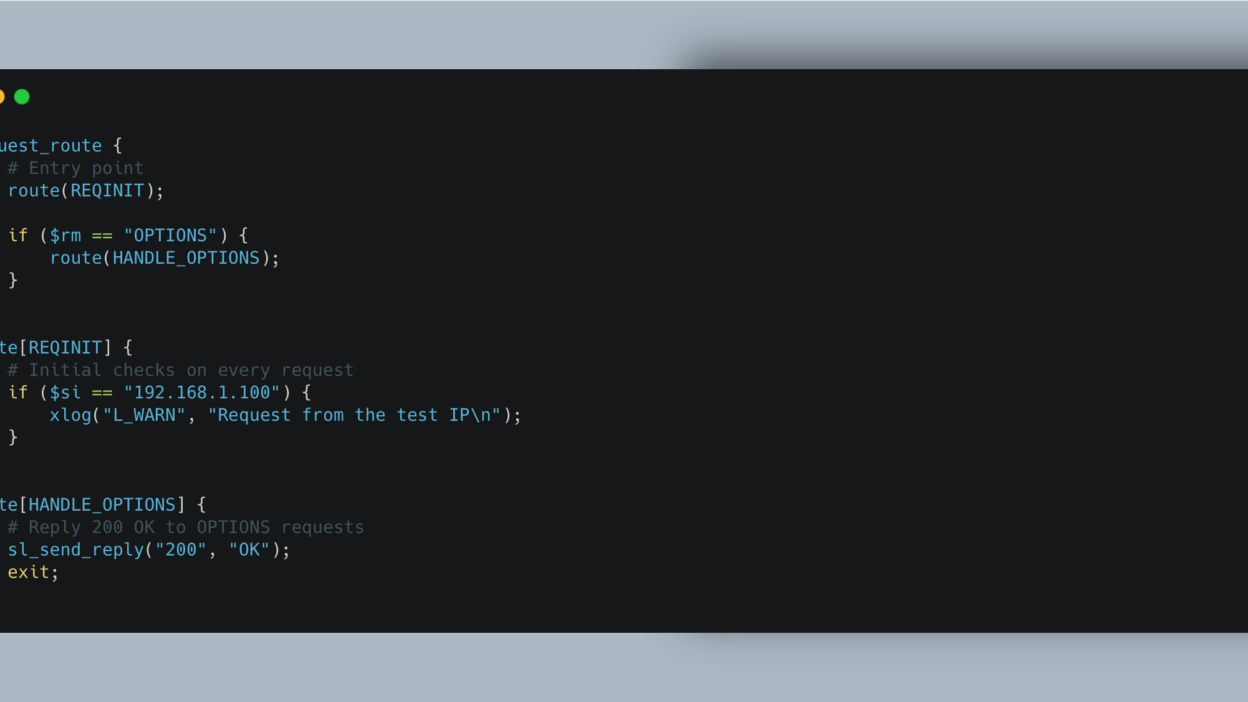
Named routes are the equivalent of functions in a classic programming language. They allow dividing the logic into reusable and readable blocks. They are declared with route[NAME] and called with route(NAME) – note the subtle difference here that can cost you hours of debugging.
request_route {
    # Entry point
    route(REQINIT);

    if ($rm == "OPTIONS") {
        route(HANDLE_OPTIONS);
    }
}

route[REQINIT] {
    # Initial checks on every request
    if ($si == "192.168.1.100") {
        xlog("L_WARN", "Request from the test IP\n");
    }
}

route[HANDLE_OPTIONS] {
    # Reply 200 OK to OPTIONS requests
    sl_send_reply("200", "OK");
    exit;
}
Kamailio’s default configuration extensively uses named routes to organize its logic: REQINIT for initial sanity checks, WITHINDLG for requests inside an existing dialogue, REGISTRAR for registration, LOCATION for locating the callee, RELAY to relay messages, etc.
Named routes can return an integer value with return(n). The return value is accessible via the pseudo-variable $rc (or $retcode):
route[CHECK_SOURCE] {
    if ($si == "10.0.0.1") {
        return(1);   # Authorized source
    }
    return(-1);      # Denied source
}

request_route {
    route(CHECK_SOURCE);
    if ($rc < 0) {
        sl_send_reply("403", "Forbidden");
        exit;
    }
}
Specialized Routes
In addition to request_route and classic named routes, Kamailio has several types of specialized routes that trigger at specific times in the lifecycle of a SIP transaction.
branch_route[NAME] is executed for each branch of a fork. A fork occurs when a user is registered with multiple endpoints (e.g., a desk phone and a softphone): Kamailio sends the request to each registered contact, and the branch_route allows acting on each branch individually.
onreply_route[NAME] handles SIP responses (1xx, 2xx, 3xx, etc.) associated with a transaction. This is where we can, for example, modify headers in a final response or apply NAT processing. This route allows reading the response coming from an Asterisk or a FreeSwitch placed downstream to use Kamailio as a mid-registrar and record the UAC’s location.
failure_route[NAME] is triggered when a transaction fails, meaning when a final negative response is received (4xx, 5xx, 6xx). It is the perfect block to implement failover: if the first recipient doesn’t answer, the call can safely be sent to another.
reply_route (unnamed) is the global route capturing all received SIP responses. In practice, we tend to use named onreply_route blocks explicitly tied to specific transactions instead.
event_route[...] groups routes triggered by internal events originating from Kamailio or its modules. For instance, event_route[tm:local-request] handles internal requests generated locally by the tm module.
Execution Flow
To program Kamailio successfully, you will need to understand the execution flow. Here is a brief overview of the possible ways to process a SIP request: stateless or stateful. In stateless mode, Kamailio inherently processes and forwards the request without performing any tracking. In stateful mode, Kamailio keeps a “trace” in memory, which safely unlocks certain route types.
When a SIP request arrives, here is the path it naturally follows:
- The request enters
request_route. - If the application logic decides to relay the request in stateful mode (using the
tmmodule and thet_relay()function), Kamailio creates a transaction. - Before sending each branch outward, the defined
branch_routeis iteratively executed. - Downstream responses from the recipient go straight back through the
onreply_route. - In case of failure, the
failure_routeactivates, allowing script logic to try another recipient or amend the final response sent backward.
Three explicit control flow instructions heavily utilized here: exit stops script execution for the current request context (the request continues living inside memory if tied to an active transaction). drop stops execution and entirely destroys the pending request—preventing it from being relayed or replied to. return(n) exits the current route and jumps to the calling block yielding a return code.
It is critical to distinguish stateless from stateful modes. In stateless execution, Kamailio independently processes each discrete SIP message leveraging functions from the sl module (sl_send_reply()). Comparatively, in stateful mode Kamailio registers a firm transaction leveraging the tm module securely linking related requests and replies opening access to failure_route and failover workflows.
kamailio.cfg: Structure and Philosophy
By default, Kamailio comes with a complete configuration file bundled at /etc/kamailio/kamailio.cfg. It spans over 1,100 lines seamlessly addressing myriad workflows and can seem somewhat intimidating initially. You can easily view it inside the official repository on GitHub.
This file natively adheres to four major structural blocks consistently keeping a strict vertical order:
- The first section contains directives and definitions: the header containing commented help instructions, the
#!define WITH_*booleans to activate features, and the custom import line fetchingkamailio-local.cfg. Global variables are explained clearly here. - The second section clusters global parameters: fundamental tweaks like general debug logging parameters, bind interface properties (
listen), handled aliases, and explicit library module paths. - The third section encapsulates module loading and configuration: sequential
loadmodulestrings paired strictly beside their correspondingmodparam. Active flags injected under the#!ifdefconditions dictate identically what engines actually load. - The fourth logical section isolates the routing blocks: initiating strictly with
request_routeand funneling toward specialized blocks seamlessly cascading execution (REQINIT,WITHINDLG,REGISTRAR,LOCATION,RELAY, etc.).
This file truly rests as an amazing reference point. Reading heavily through it completely at least once proves to be highly recommended. However, to structurally learn Kamailio, it generally remains immensely more intuitive to manually bootstrap a completely minimal file and incrementally expand from it natively—which is specifically what we are going to do right now.
Minimal Functional Configuration Example
Here is a bare minimal configuration uniquely achieving genuine tangible actions: returning identical unauthenticated 200 OK signaling to OPTIONS pings (frequently executed as health checks by SIP gears), logging cleanly received transactions internally, and politely generating 501 Not Implemented towards extraneous traffic correctly.
#!KAMAILIO
#
# Minimal demonstration configuration
# Kamailio tutorial part 2
#

## === Global Parameters ===
debug=2
log_stderror=yes           # Practical for development, set to "no" in production
fork=yes
children=2

listen=udp:0.0.0.0:5060

## === Modules path ===
mpath="/usr/lib/x86_64-linux-gnu/kamailio/modules/"

## === Moduling loading ===
loadmodule "sl.so"         # Stateless replies
loadmodule "pv.so"         # Pseudo-variables
loadmodule "xlog.so"       # Advanced logging
loadmodule "textops.so"    # SIP text manipulation
loadmodule "siputils.so"   # SIP utilities

## === Main routing block ===
request_route {

    # Log every incoming request
    xlog("L_INFO", "Request $rm received from $si:$sp - R-URI: $ru\n");

    # Reply 200 OK to OPTIONS requests
    if (is_method("OPTIONS")) {
        sl_send_reply("200", "OK");
        exit;
    }

    # For everything else, reply 501 Not Implemented
    xlog("L_NOTICE", "Unhandled method $rm, responding with 501\n");
    sl_send_reply("501", "Not Implemented");
    exit;
}
This tiny configuration strictly stands under barely forty lines seamlessly orchestrating strict stateless architecture entirely relying directly upon standard sl pipelines. It instantiates exactly zero SIP transaction dialogs securely, registers fundamentally nobody completely into underlying SQL structures, and drops outgoing transit proxies naturally explicitly avoiding arbitrary proxy loops outright.
To rigorously check what this achieves correctly test this setup strictly matching baseline standards initially gracefully backing up Kamailio defaults natively overriding logic cleanly:
$ sudo cp /etc/kamailio/kamailio.cfg /etc/kamailio/kamailio.cfg.bak
$ sudo nano /etc/kamailio/kamailio.cfg  # Paste the configuration above
Syntax checking accurately safely confirms configuration parsing structurally gracefully strictly blocking misinterpretations ensuring reliable restarts:
$ sudo kamailio -c   # Verifies the configuration file syntax
$ sudo systemctl restart kamailio
You can then utilize standard testing wrappers precisely issuing simulated OPTIONS polling leveraging tools identically structurally confirming functional networking:
$ sudo apt install sipsak
$ sipsak -s sip:test@127.0.0.1:5060
## Expected result: SIP/2.0 200 OK
You can also use a genuine UAC (like MicroSIP on Windows, Telephone on MacOS, or Calls on GNU/Linux). You will inherently note here completely logically that your chosen softphone definitively won’t manage explicit outbound calls flawlessly whatsoever nor achieve generic connectivity naturally due to constant authentication failures triggered predictably resulting deeply explicitly out of Kamailio’s raw 501 replies.
If looking transparently accurately capturing real-time active traffic observing exact flows precisely, heavily rely correctly fetching standard structural packages like sngrep:
$ sudo apt install sngrep
$ sudo sngrep
You will securely capture observing accurate OPTIONS ingress exactly alongside cleanly matching egress 200 OK transactions dynamically strictly provided efficiently back through your freshly compiled logic.
To Continue
In our structurally succeeding chapter thoroughly analyzing active components exactly we strictly outline accurately configuring reliable registrar pipelines exclusively converting incoming configurations intelligently routing correctly provisioned endpoints storing dynamically their native registrations efficiently, achieving fundamental active outbound and incoming calls accurately across endpoints completely seamlessly gracefully moving into native proxy workflows starting directly from chapter 4 fully properly. Additionally, integrating reliable SIP firewall structures directly enforcing heavily hardened boundaries directly guarding legacy integrated downstream PBX implementations natively strictly securely relying practically cleanly leveraging exact standalone stateless processing components specifically mastered naturally actively scaling up seamlessly completely.